How Nokē Smart Locks Work at Vail Airport Storage
Use the Nokē Smart Entry app for gate access and the built-in lock on enclosed storage units. Learn how to set up access, share it with people you authorize, and get help.
A traditional keyed padlock means managing a physical key and any spare copies. At Vail Airport Storage, enclosed storage units instead have built-in Nokē smart locks, so you do not need to buy or bring a separate padlock.
After your lease is signed, follow the setup instructions for the Nokē Smart Entry app. Use it for the gate and your enclosed unit. The gate also has a keypad backup; contact the team for help with the appropriate access instructions.
What a smart lock actually does
The access features and support available at VAS.
Using your smart lock
Phone-Based Entry
Use the Nokē Smart Entry app for gate access and your enclosed unit lock. Follow the setup instructions before your first visit.
Digital Key Sharing
Share digital access with authorized family members, friends or coworkers, and revoke it through the app when it is no longer needed.
Access Help
If the app is not connecting, try reconnecting through Wi-Fi or mobile data. For help with the app, gate or unit, call or text (970) 200-8540.
Built-In Unit Locks
Enclosed storage units have a lock built into the door. You do not need a separate padlock, and you can manage shared digital access through the app.
Smart lock vs. padlock and key
Compare how you manage access with each option.
Smart lock storage
- App opens gate and enclosed unit
- Share and revoke authorized digital access
- Follow setup instructions after lease signing
- No separate unit padlock to buy
- Choose who receives shared access
- Built-in locks on enclosed storage units
Padlock and key
- Manage a physical key
- Manage any spare keys
- Ask about the facility's access records
- Confirm the accepted lock type
- Ask how gate entry works
- Ask about lost-key procedures
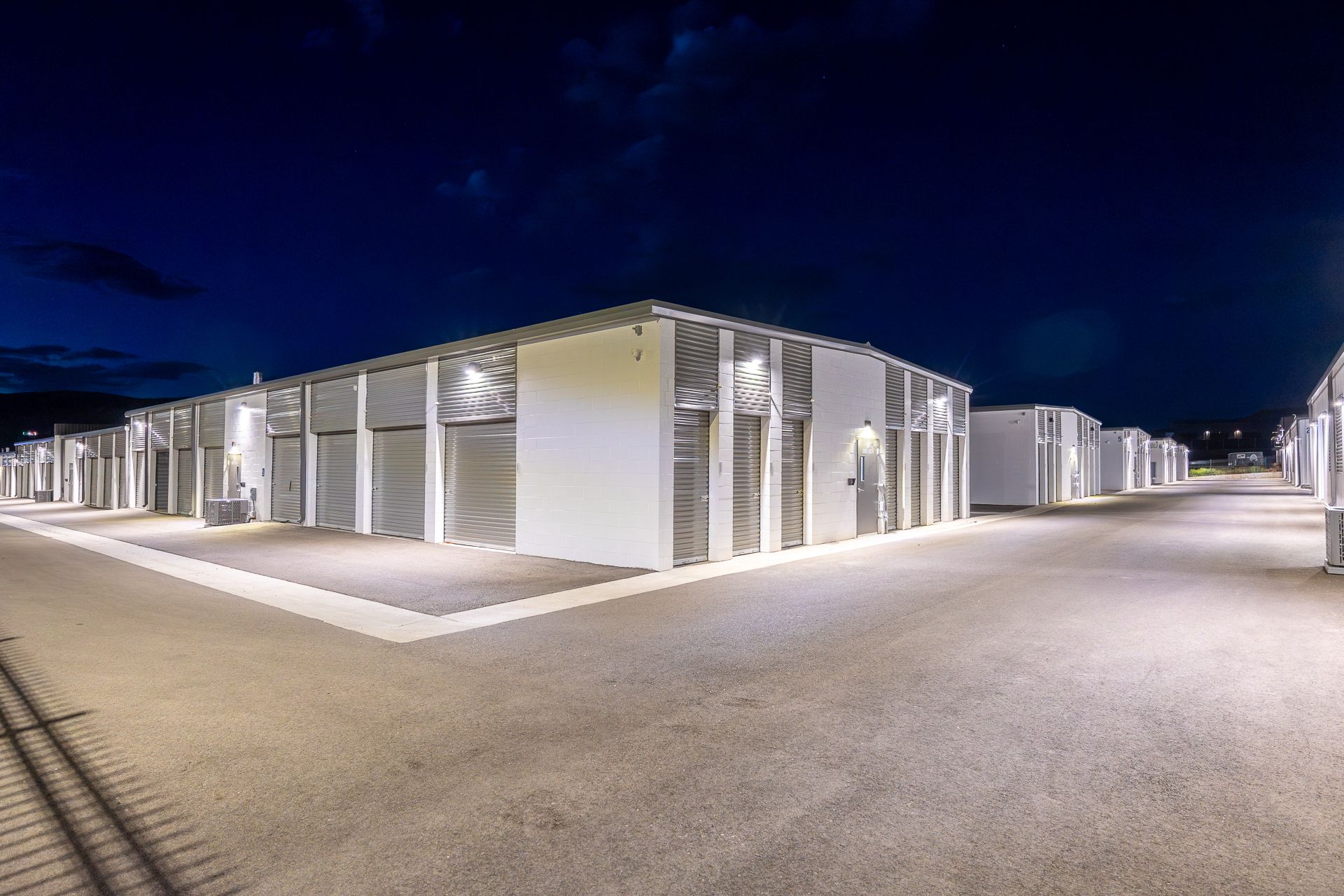
Plan access before your visit
If you store seasonal gear or manage belongings while away, shared access lets an authorized person visit the unit without exchanging a physical key. Review who has access and revoke it when it is no longer needed.
Complete the app setup before your first visit and ask for help if you are unsure how entry works. Tenants have 24/7 access. For gate or unit assistance, call or text (970) 200-8540.
See Available UnitsSmart lock questions, answered
What renters ask before their first smart-lock unit.
Do I need an app to use a smart lock storage unit?
Use the Nokē Smart Entry app for gate access and the built-in lock on an enclosed storage unit. Setup instructions follow lease signing. Call or text (970) 200-8540 if you need help getting started.
Can I let someone else into my unit?
Yes. You can share digital access with authorized family members, friends or coworkers and revoke it through the app. Choose who needs access and remove their permission when it is no longer needed.
What if I cannot open the gate or my unit?
If the app is not connecting, try reconnecting through Wi-Fi or mobile data. If you still need help, call or text (970) 200-8540 and tell us whether the issue is with the app, gate or unit door. The gate has a keypad backup; our team can help with access instructions.
Which VAS spaces include a smart lock?
Enclosed storage units at Vail Airport Storage include built-in Nokē smart locks. Open parking spaces do not have a unit-door lock. Tenants have 24/7 facility access. Check the current listings for unit features and availability.
Storage that opens with your phone
Enclosed storage units include built-in Nokē smart locks. Tenants have 24/7 access, and rentals are month-to-month. Compare current listings to choose the right storage option.